Hooray! You are ready to set up your home phone
Step 1 – Power and Connect
Plug your home phone into power. Wait 60 seconds for your Phone’s heart to warm up
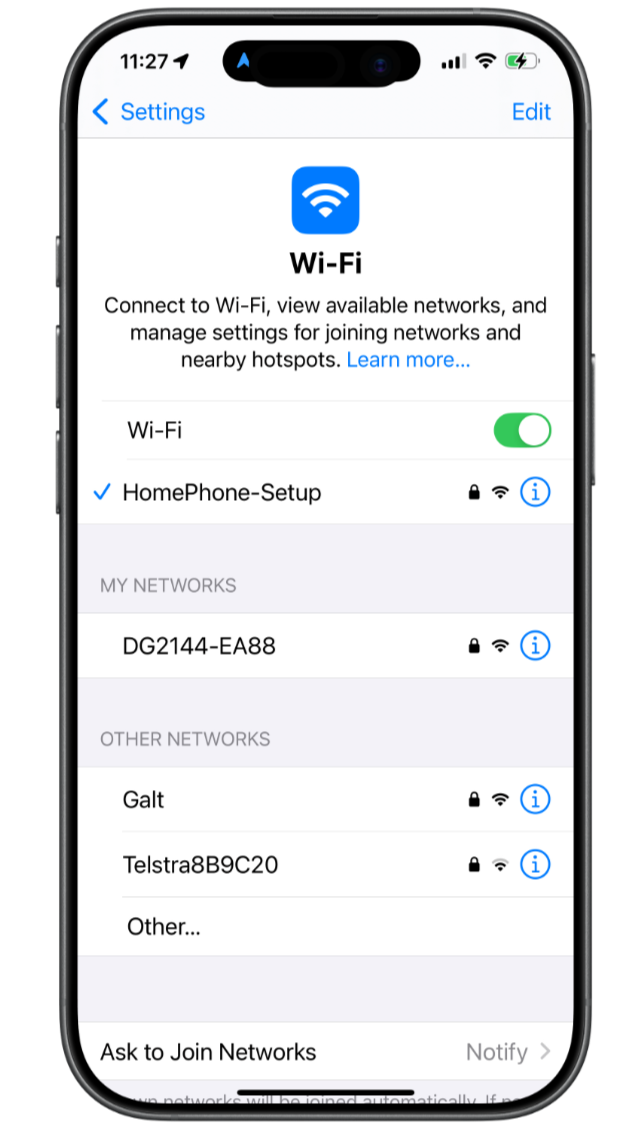
Open your Wi-Fi settings on your mobile phone.
Choose the network called “HomePhone-Setup” (It might take a few seconds for the network to show in your WiFi networks)
If it requests a password enter “Homephone4kids” (Stay connected — don’t switch back to your home WiFi yet)
Step 2 – Connect to you Home Phone’s “Heart”
Your new home phone is powered by a special “heart” which includes a mobile router. This let’s your home phone securely connect to your home Wi-Fi network.
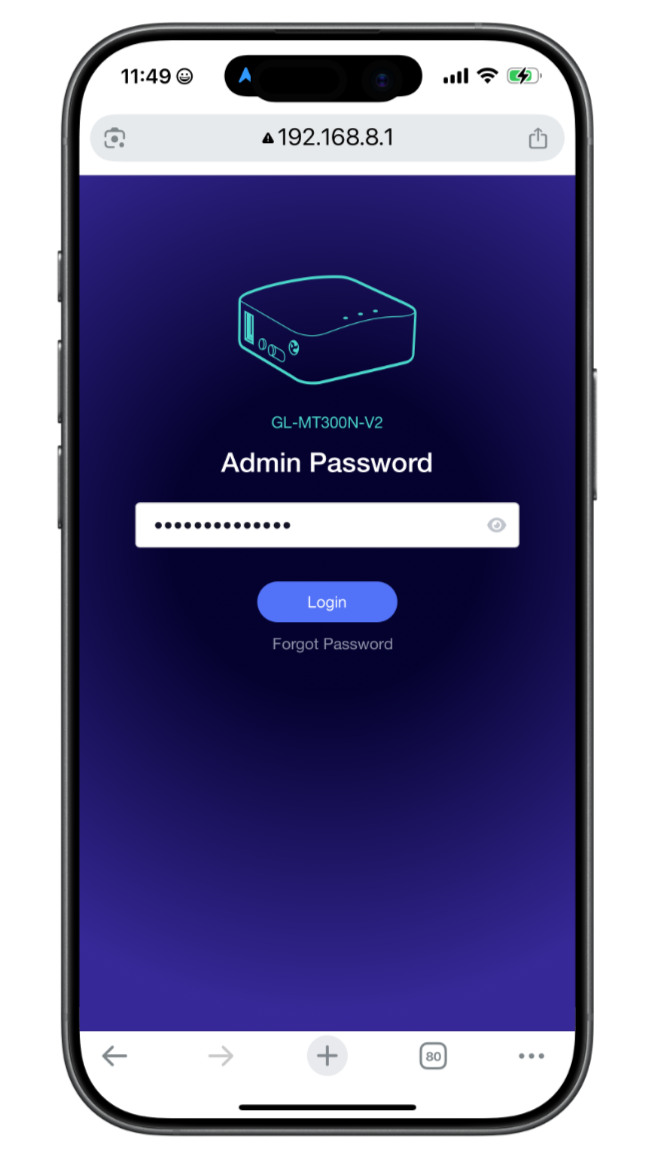
Open the routers setup page or scan the QR code on your set up card and log in with the password above. (It won’t load if you’re not connected to HomePhone-Setup)
Step 3 - Connect your Home Phone to your Home Wi-Fi
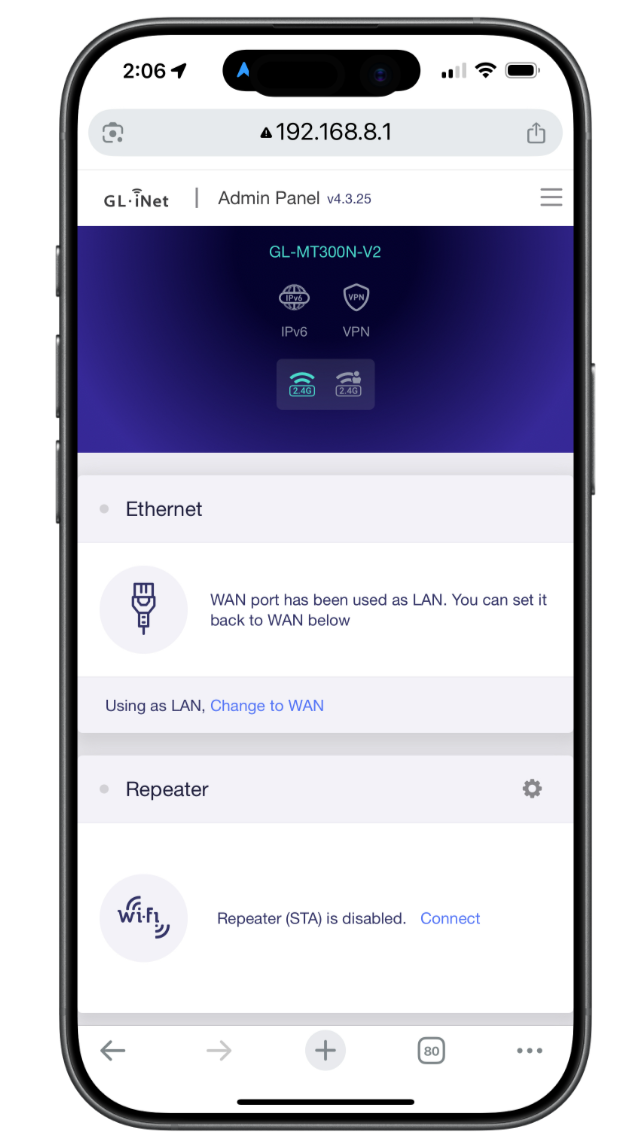
Scroll down to “Repeater” and click “Connect”
Select your home Wi-Fi network and enter your password.
(Your Wi-Fi details are used only to connect your Home Phone to your home network. They stay stored safely inside your home phone’s heart and are never shared with us or anyone else.)
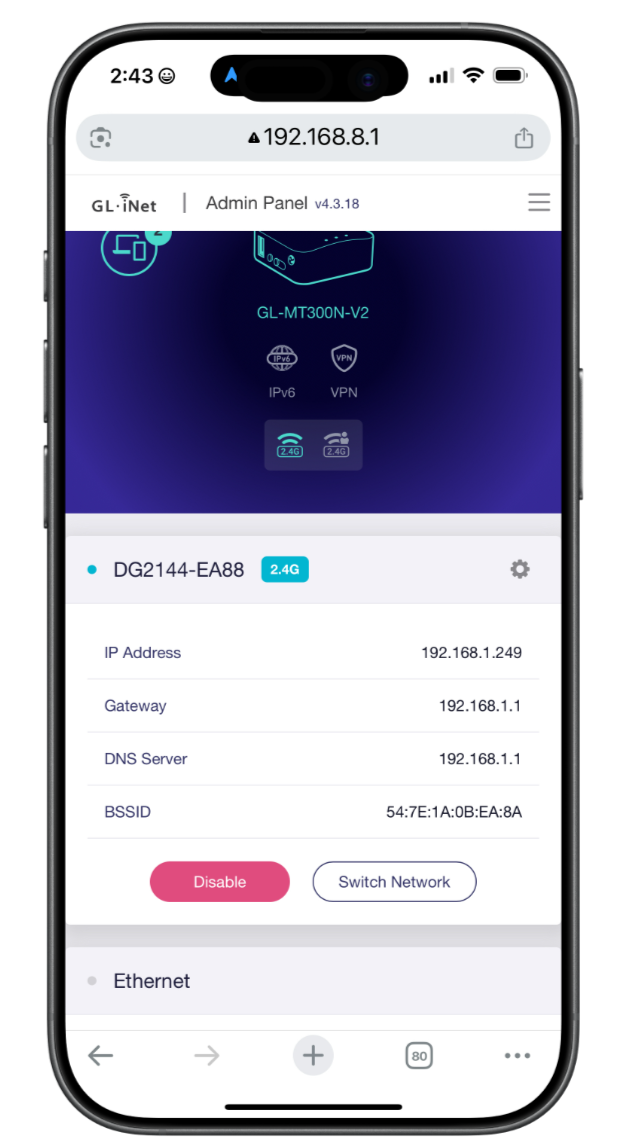
It will take a few seconds for your wifi to connect to the router
DONE! Happy calling!
Your phone will now be able to make calls to Australian landlines and mobile phone numbers!
You can move it anywhere in your house and it will connect to your wifi to make calls.
If you have any problems connecting shoot us an SOS email and we will call you ASAP
homephoneforkidspilot@gmail.com